Protocol Designer

Redesigning a no-code tool to allow scientists to automate in research labs

Role

Lead product designer on a team with 3 software engineers and 1 PM

Responsibilities

Lead the end-to-end redesign of a no-code graphical user interface that allows scientists to control Opentrons robots so that they can automate in the lab.

Impact
Project overviewResearchDesignImpact

Project overview

Automating liquid handling tasks with Opentrons robots is complicated

Technically skilled scientists can use the Opentrons Python API to code protocols that allow them to operate the robots.

Not all scientists have a technical background though. The majority of scientists lack programming experience, making it difficult to take full advantage of the capabilities of the Opentrons system.

To solve this, Opentrons developed Protocol Designer, a no-code tool that lets users build protocols without needing to write code. Unfortunately, due to a shift in company priorities, development on Protocol Designer stalled and the product was untouched for two years.

My task was to redesign the tool so that it could serve as a foundation for future growth and development.

In 6 months, I was part of a team that delivered a successful redesign

We launched a redesign of the product in December 2024 and it's been improving ever since. Here are some of the key parts of the experience.

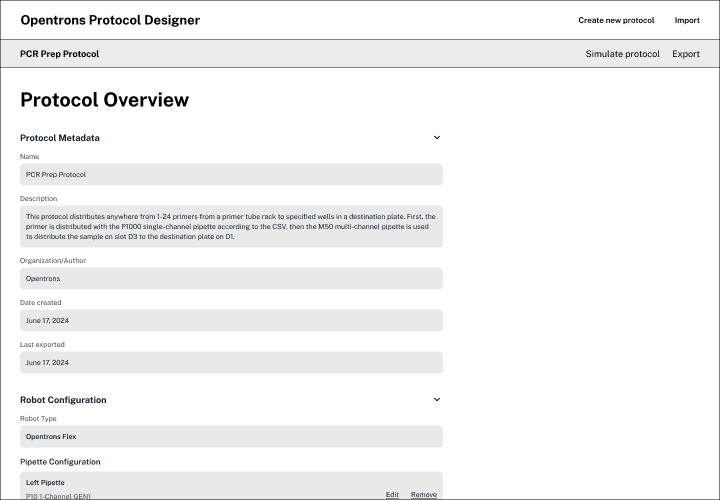
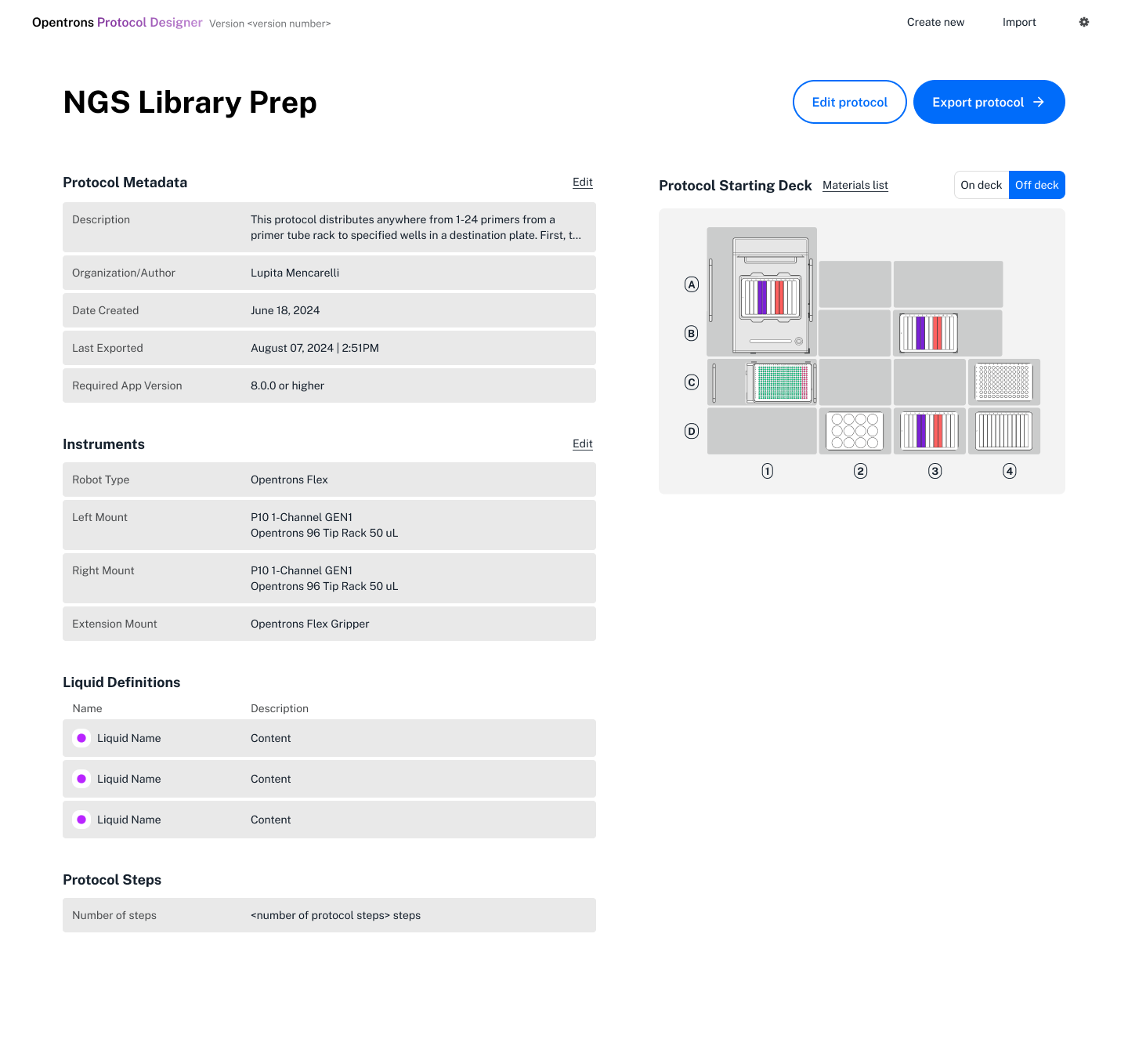
Protocol overview page

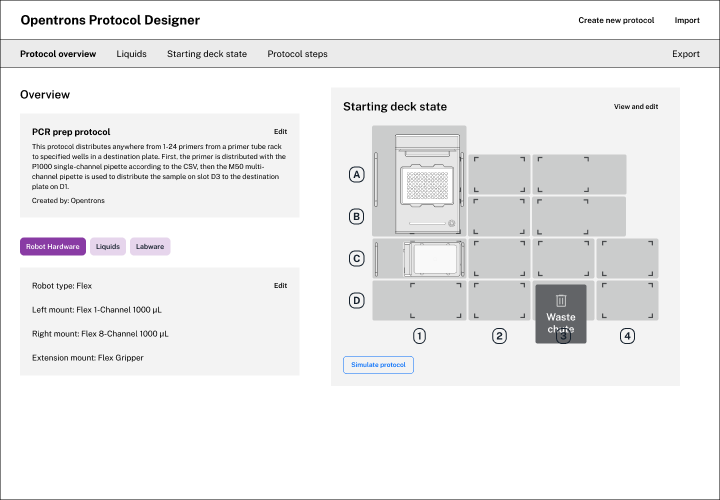
I designed an overview page for users to get to know everything about the protocol being created. During research, we found that users often begin creating protocols by editing ones that they've created previously. The overview page helps them to know what they need to change.

Edit your robot deck and protocol steps through the timeline

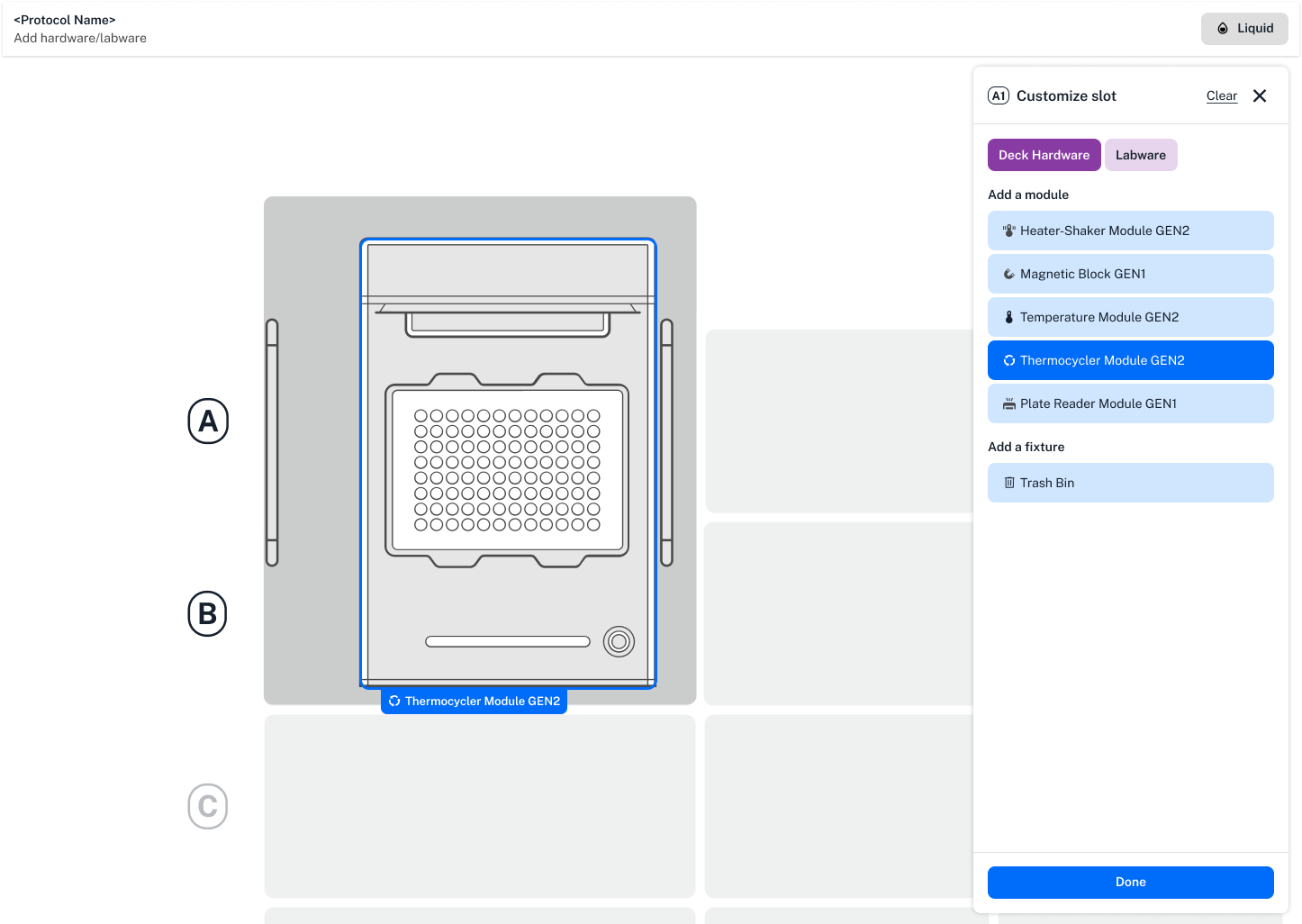
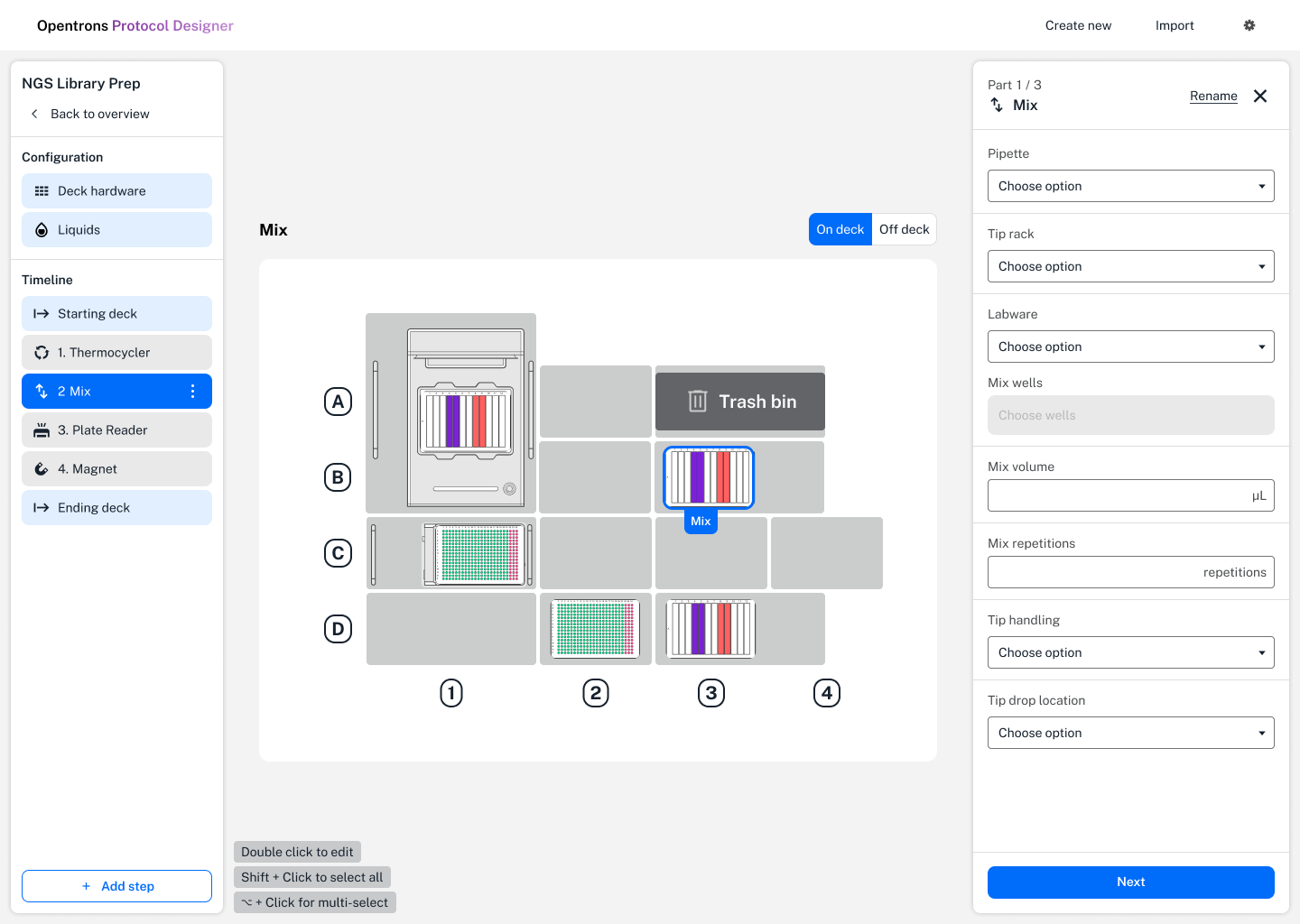
Users now edit their entire protocol in one place. They are able to edit their robot configuration, and add protocol steps from the timeline.

Simplified step creation for ease of use, with hidden complexity when advanced functionality is needed

Taking inspiration from analogous domains, I created a layout where users can view the robot deck and create protocol steps at the same time. The form has been designed to be simple, but is capable of revealing complexity if users want more advanced functionality.

Research

Prioritizing potential improvements

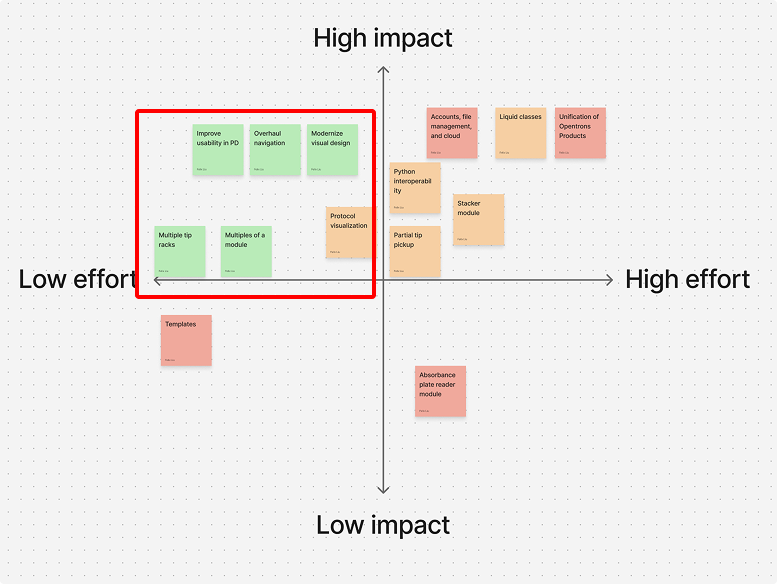
This initial research informed a list of potential improvements that we could make to the platform. Working with my PM partner, we prioritized the improvements and landed on three project priorities.

  • Overhaul navigation in Protocol Designer
  • Solve usability issues around adding protocol steps
  • Modernize visual design of the tool
Conducting research to understand existing issues

To get to know the product and understand the problem space, I began the project by auditing the existing experience for usability problems, reviewing customer feedback, and also conducted a competitive analysis of analogous/adjacent domains.

Design

Using userflows and wireframes to solve problems

The start of my design process begins with userflows and wireframes to figure out how to prioritize information and solve for complex interactions in the product.

While wireframing, I check in with developers to assess feasibility of designs. I also conduct usability testing to get feedback. After I land on a promising direction, I create pixel perfect designs to deliver for production.
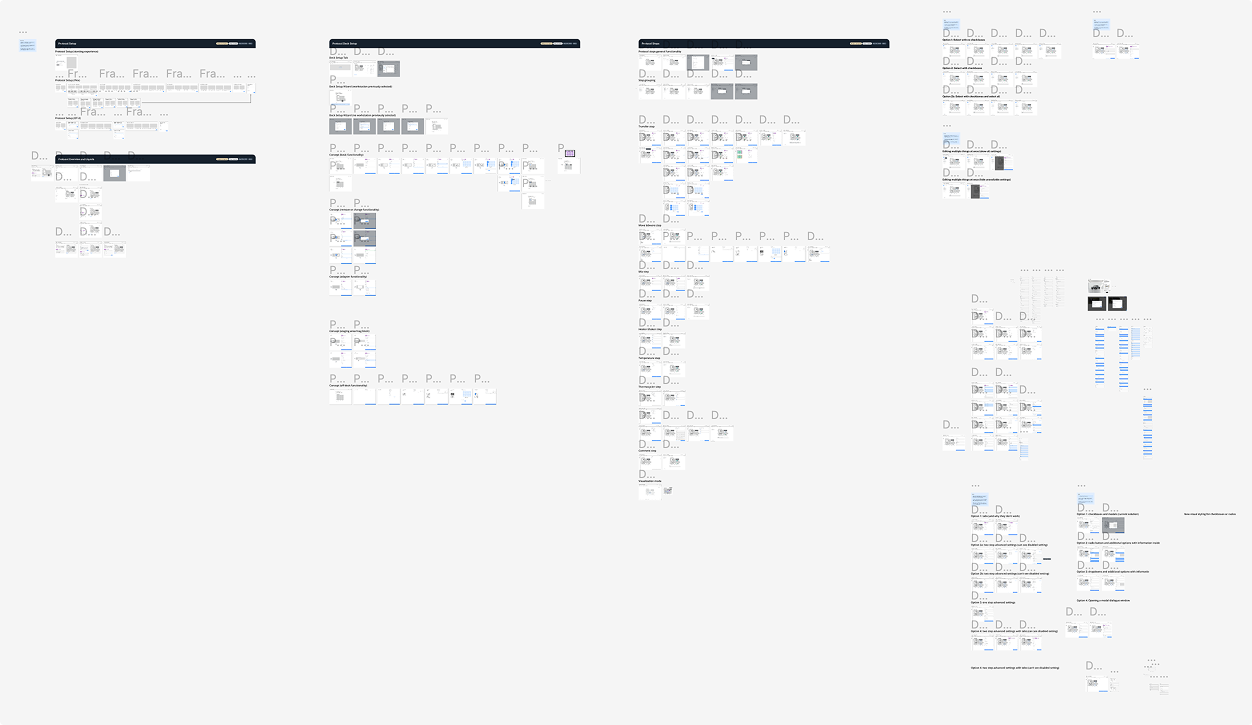
This project required a lot of design explorations. Here's 1 page of many!


I've included details on 2 interaction design challenges that I needed to solve for during the redesign of the product. For more information on other problems that I solved, let's chat!

1. Solving problems in navigation

The first challenge I wanted to tackle was to redesign the experience to make it more simple and easy to navigate.To create a working protocol, scientists need to do 3 things:

  • Specify robot instruments used
  • Set up the robot deck with labware
  • Add protocol steps
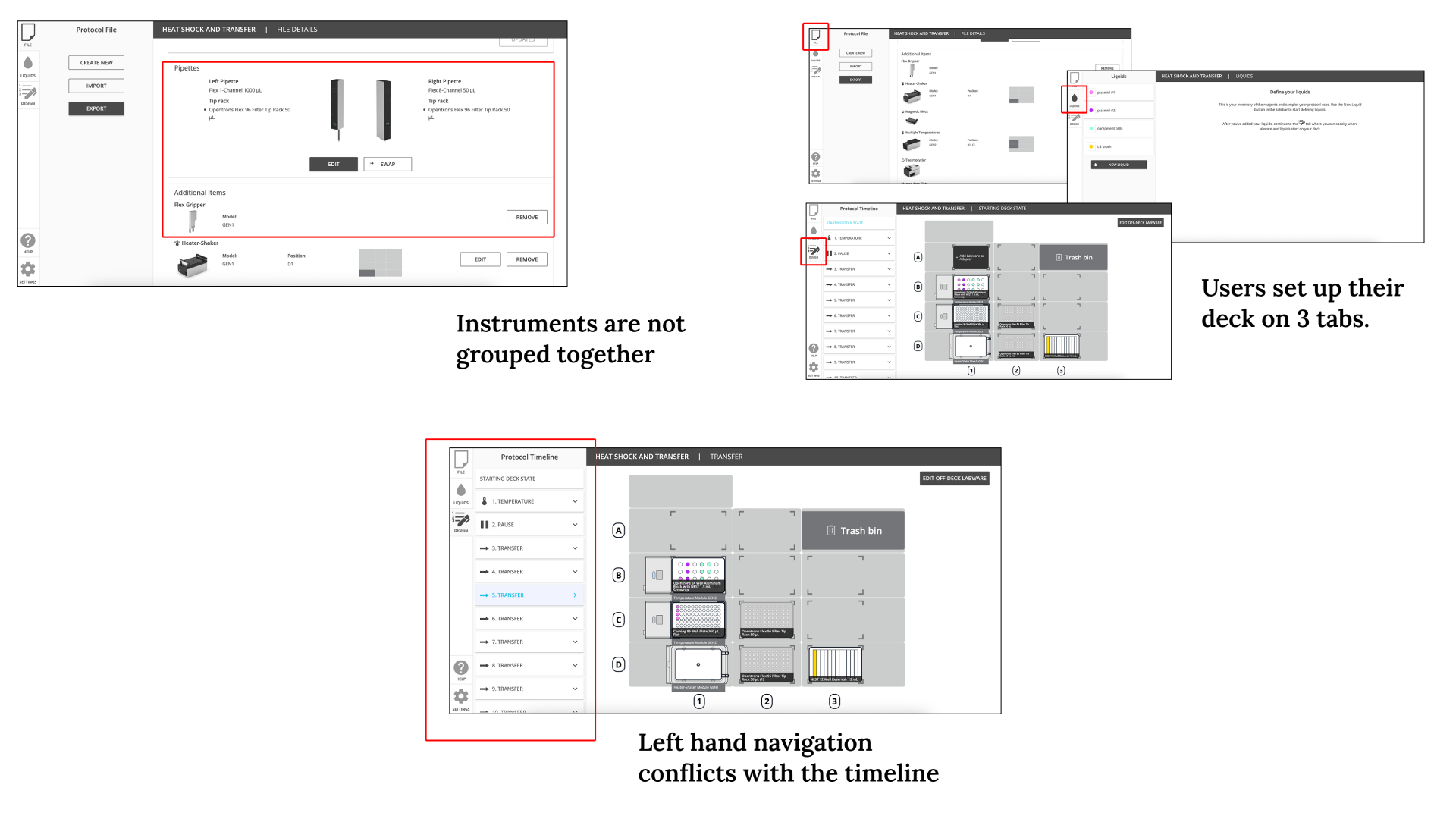
In the legacy experience, these tasks are spread across different screens


Instruments were not grouped together, users set up their robot on 3 different tabs, and the layout of the screen to add protocol steps conflicted with information that needed to be displayed.

User testing two different navigational models

To solve this problem, I created a number of different explorations for how users navigate through these tasks. 2 of the explorations, a concept using tabs for navigation and a concept using a hub and spoke navigation model, seemed promising enough to take to user testing.

The feedback that we got was interesting. I found that while users could complete tasks to set up their protocol, task completion was slow.

I realized that these explorations optimizes for people creating their protocol from scratch, but not for people editing existing protocols.

Ultimately, I created a new concept with two main parts. An overview page, and an editor page. This was the concept that made it through to production.

2. Designing a form that reveals complexity when needed

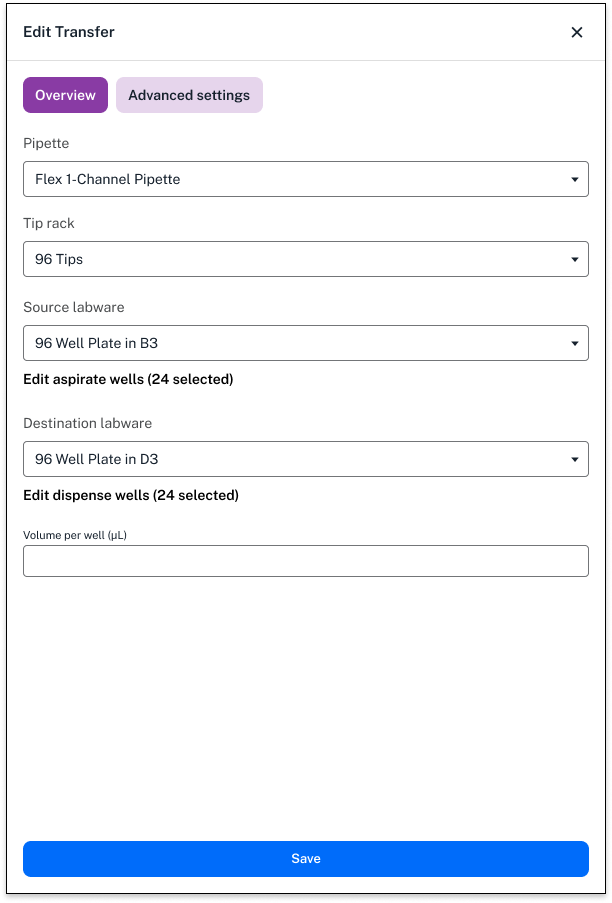
The second design challenge to solve for was creating a form that is simple, but can reveal complexity and advanced functionality when scientists need it.
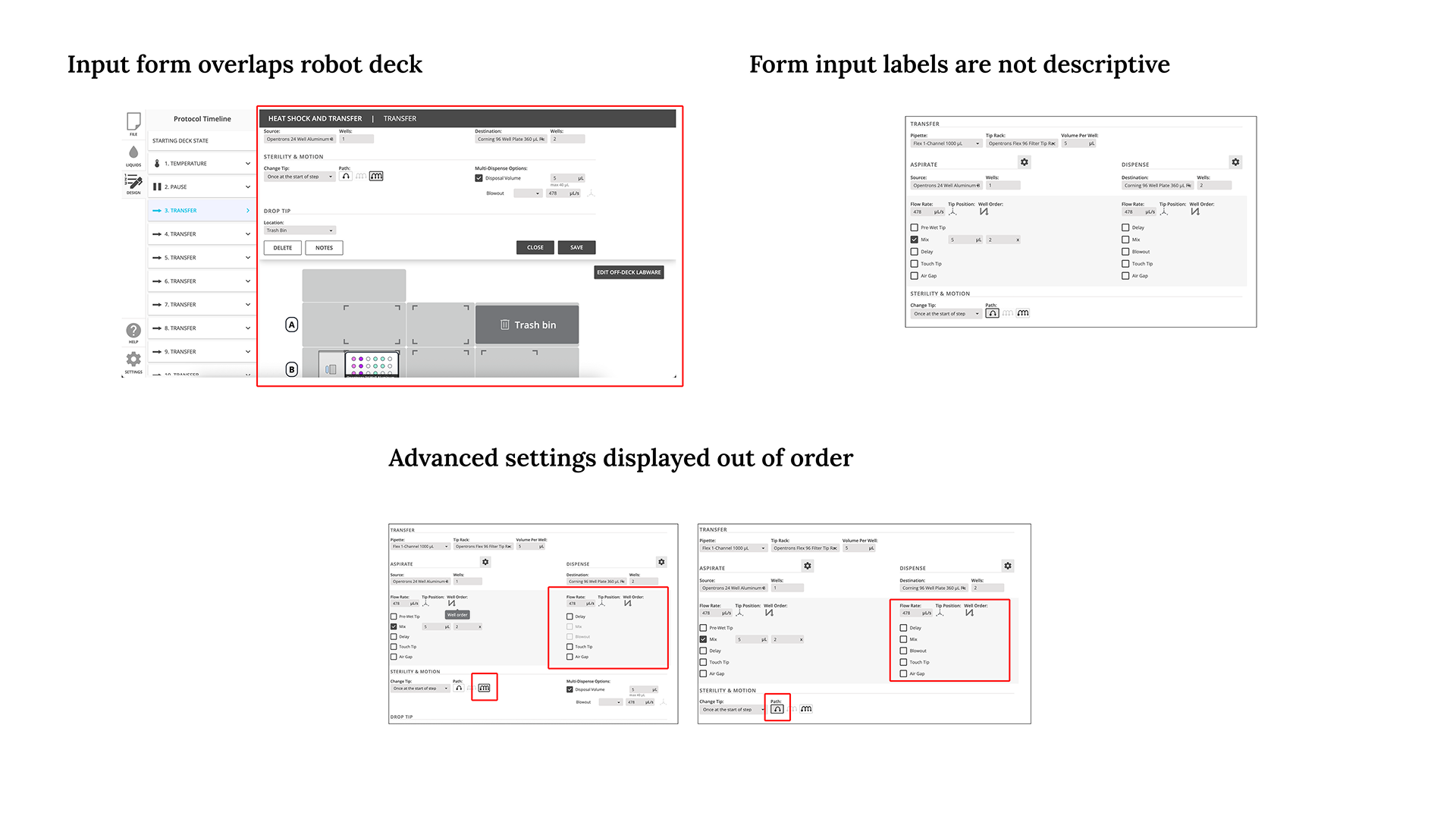

The existing layout overlapped the robot deck, a place that users need to reference to fill out the form. Form labels were not descriptive, and advanced settings were not displayed in an intuitive way.
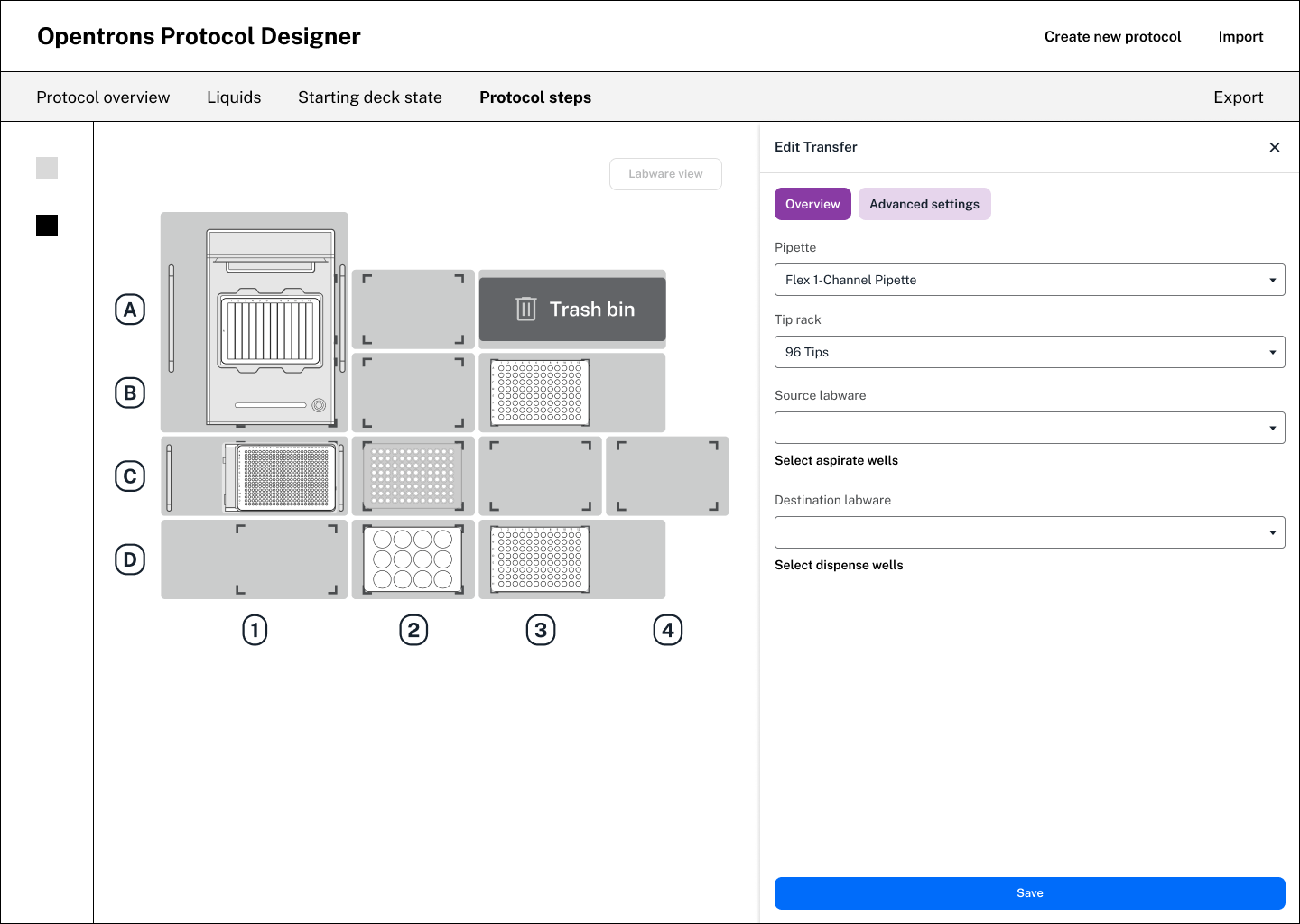

To solve for these issues, I first explored a new layout to display the form in. This layout helps to keep the robot deck in view while a user is filling out the form.


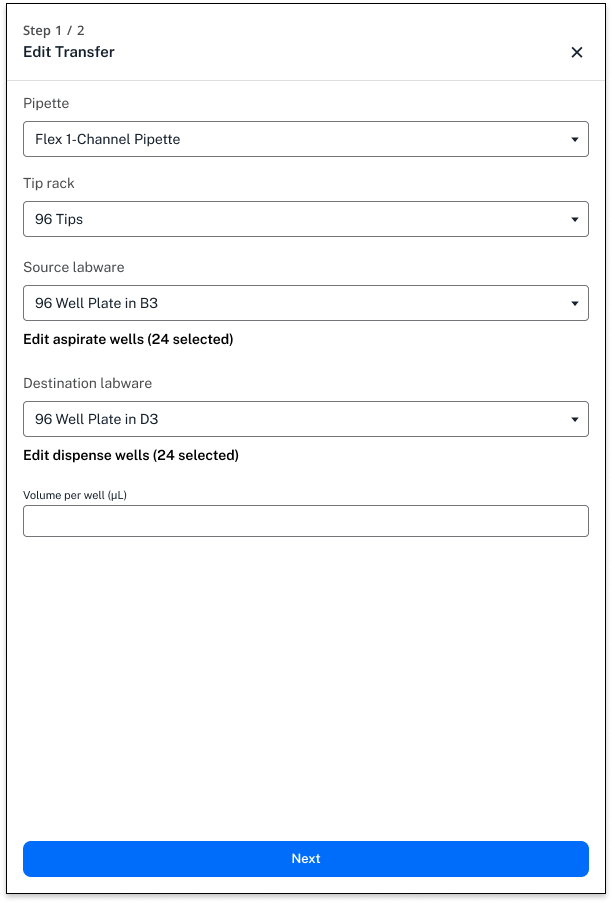
I explored a concept using tabs to separate out basic inputs with more advanced inputs and also a concept separating out the form into different pages.

Ultimately, due to complexities within the form and dependencies between fields, I decided to move forward with the concept that separated the form into different pages.
Impact and next steps

The redesign was a success, going into production in December 2024

I worked closely with the development team to plan what types of analytics we wanted to measure to track the effectiveness of the redesign. After the product was released into production, I created a dashboard in Mixpanel to track behavior and inform improvements.

We’ve also received feedback from our GTM team and customers, talking about how happy they were with the redesign.

“We've been really impressed with the protocol designer software! It's really great to be able to play around with it completely transparently! It is so intuitive and honestly, that is how liquid handling should be! We don't want to have to send people on a 3-day training course to learn how to use a system that is so complicated, that scientists will have to spend hours working on a protocol when automation is supposed to speed things up!” - Opentrons customer

Project reflections

My two big learnings from this project are to work extremely closely with your engineer from the beginning. We were only able to do this work by understanding how the existing product worked, and that allowed me to create designs that utilized existing infrastructure to display information.

One thing that the team could’ve improved was escalate issues when needed. We had to delay our launch a little bit because we didn’t raise an alarm when dev resources that we planned for weren’t allocated to the project.