Designing support across different products for a robotic module that unlocks value for high-throughput market segments.
Role
Lead product designer on a team with 3 software engineers and 1 PM
Responsibilities
Lead end-to-end design for software support of hardware across 3 Opentrons products; a tablet touchscreen, native application, and web app.
Impact
- Since launch in September 2025, Opentrons has generated $1M+ in revenue from stacker sales
- Enhanced existing software experiences to allow scientists to setup and operate the stacker with their Flex robot.
Project overview
Developing the Flex Stacker to unlock value for high-throughput markets, increasing TAM for Opentrons
The Opentrons Flex is a robot that allows scientists to automate pipetting, a manual process that wastes valuable time. In 2025, Opentrons developed a new hardware module called the Flex Stacker to increase capacity of the Flex and appeal to the high-throughput segments of the lab automation market.
My task as a designer was to design support experiences for the stacker within Opentrons software products so that scientists know how to use the module in the context of their everyday work.
In 4 months, the team released support for the Flex Stacker into production.
Here are key parts of the experience that I designed.
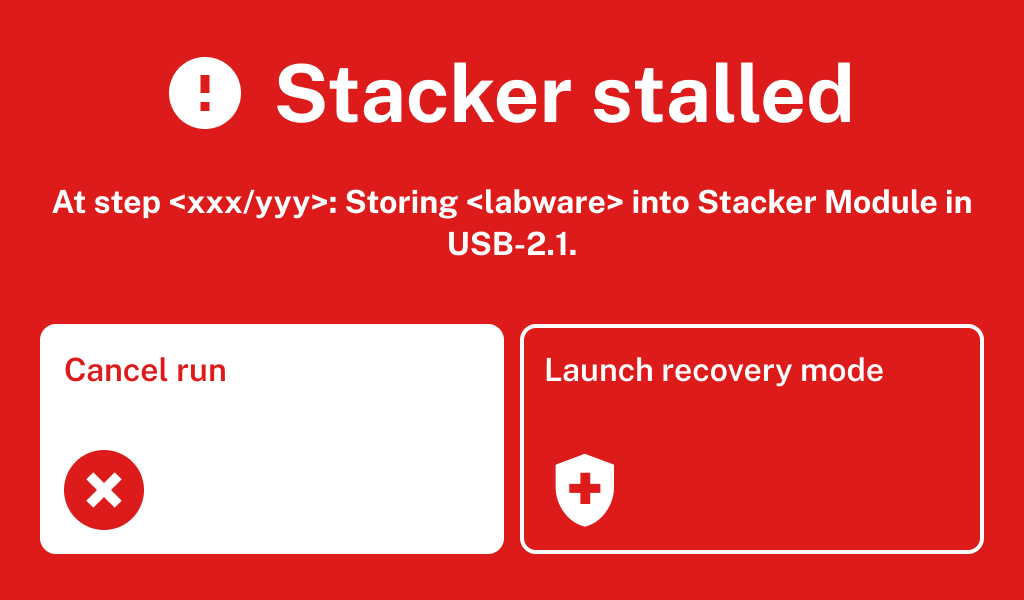
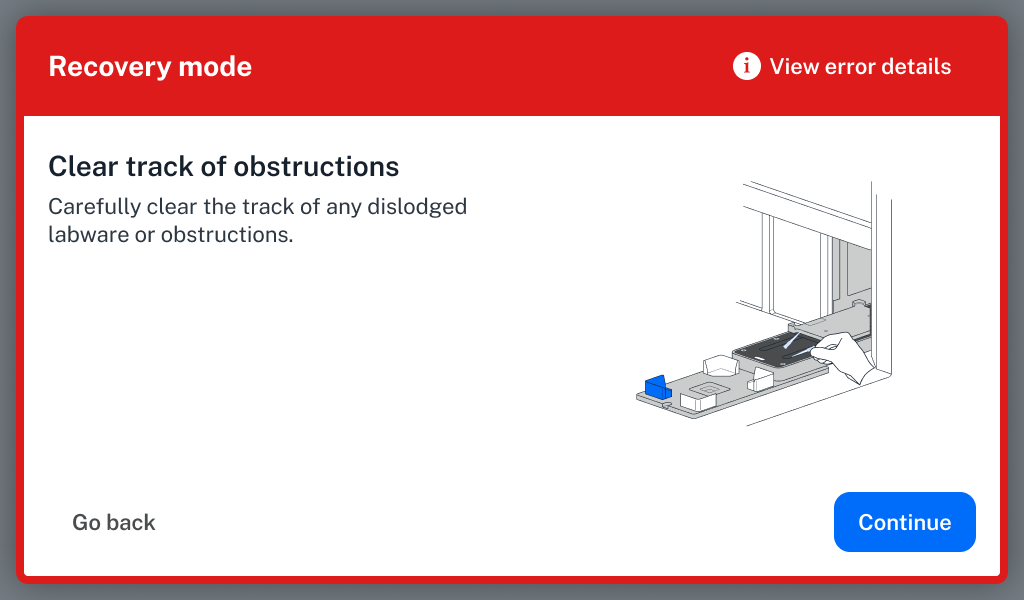
Error recovery
Sensors on the stacker allowed the system to identify when errors have occurred while the robot is in use.
I designed a series of error recovery flows that allow scientists to recover from errors, saving time and expensive reagents.
Example error recovery screens on the Flex touchscreen
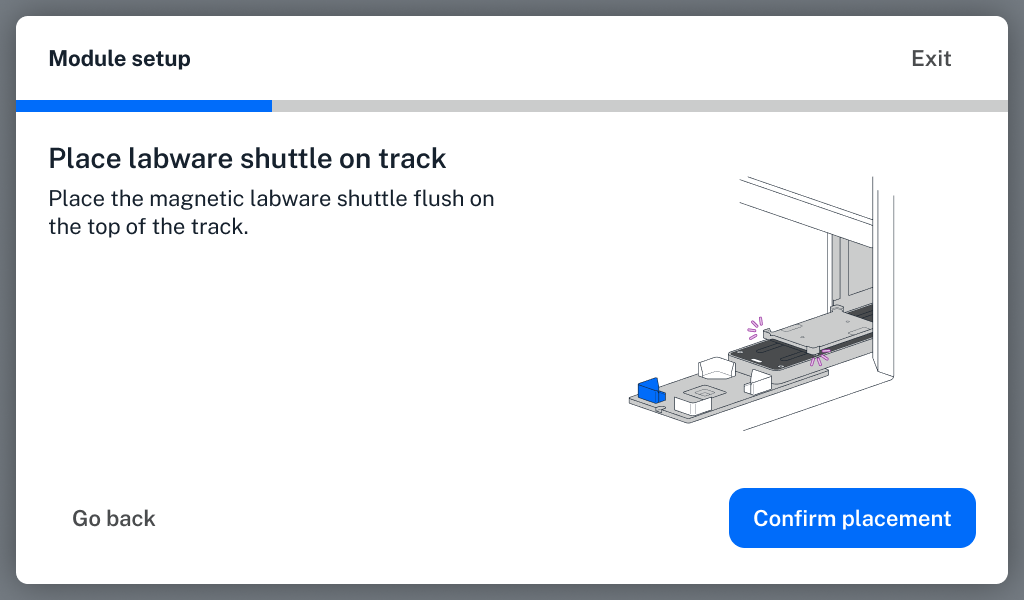
First time module setup
I designed a first time module setup experience in the Opentrons app and Flex touchscreen to help users set up their stacker for use.
Selecting a module location and placing the labware shuttle
Stacker support in Protocol Designer
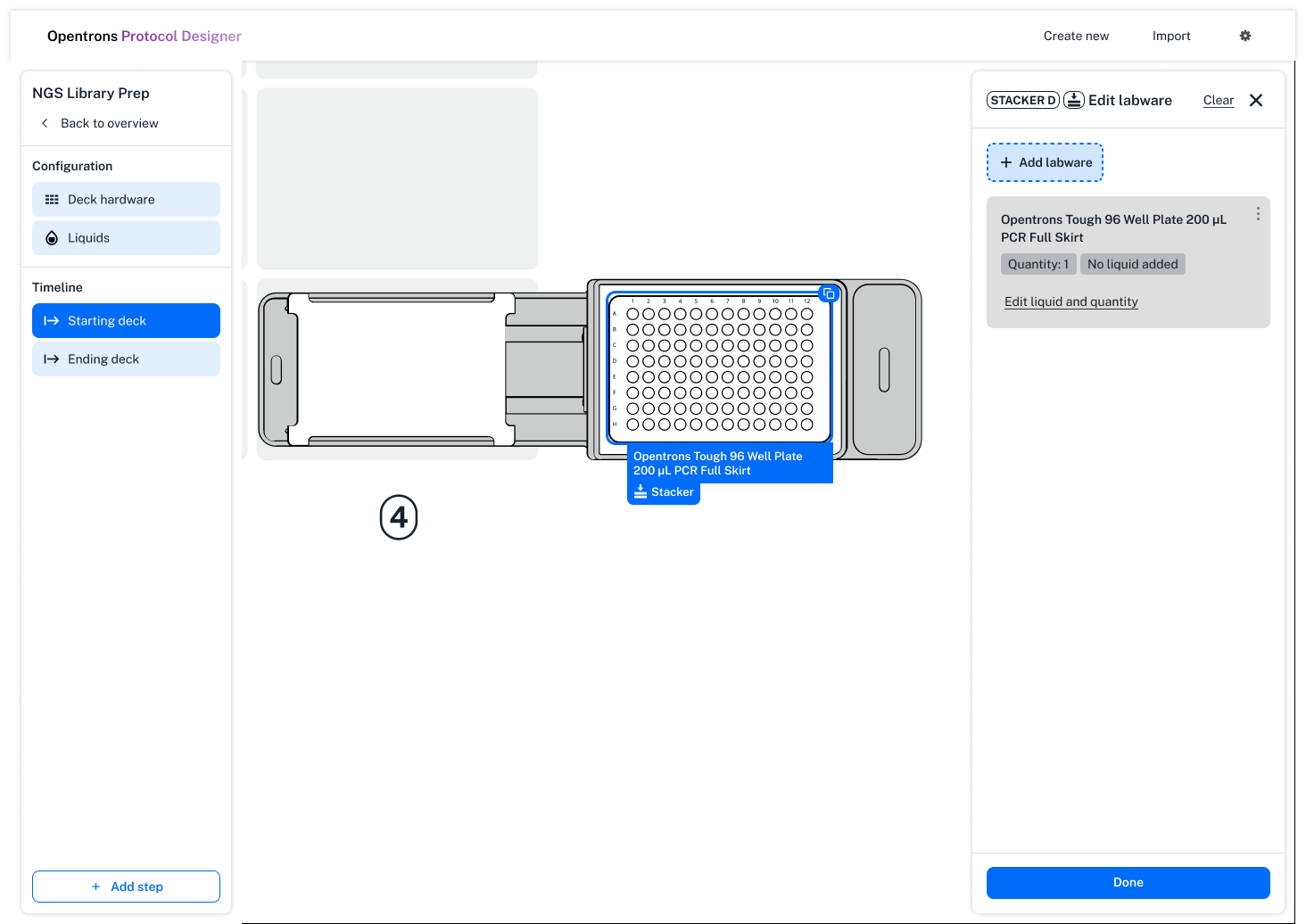
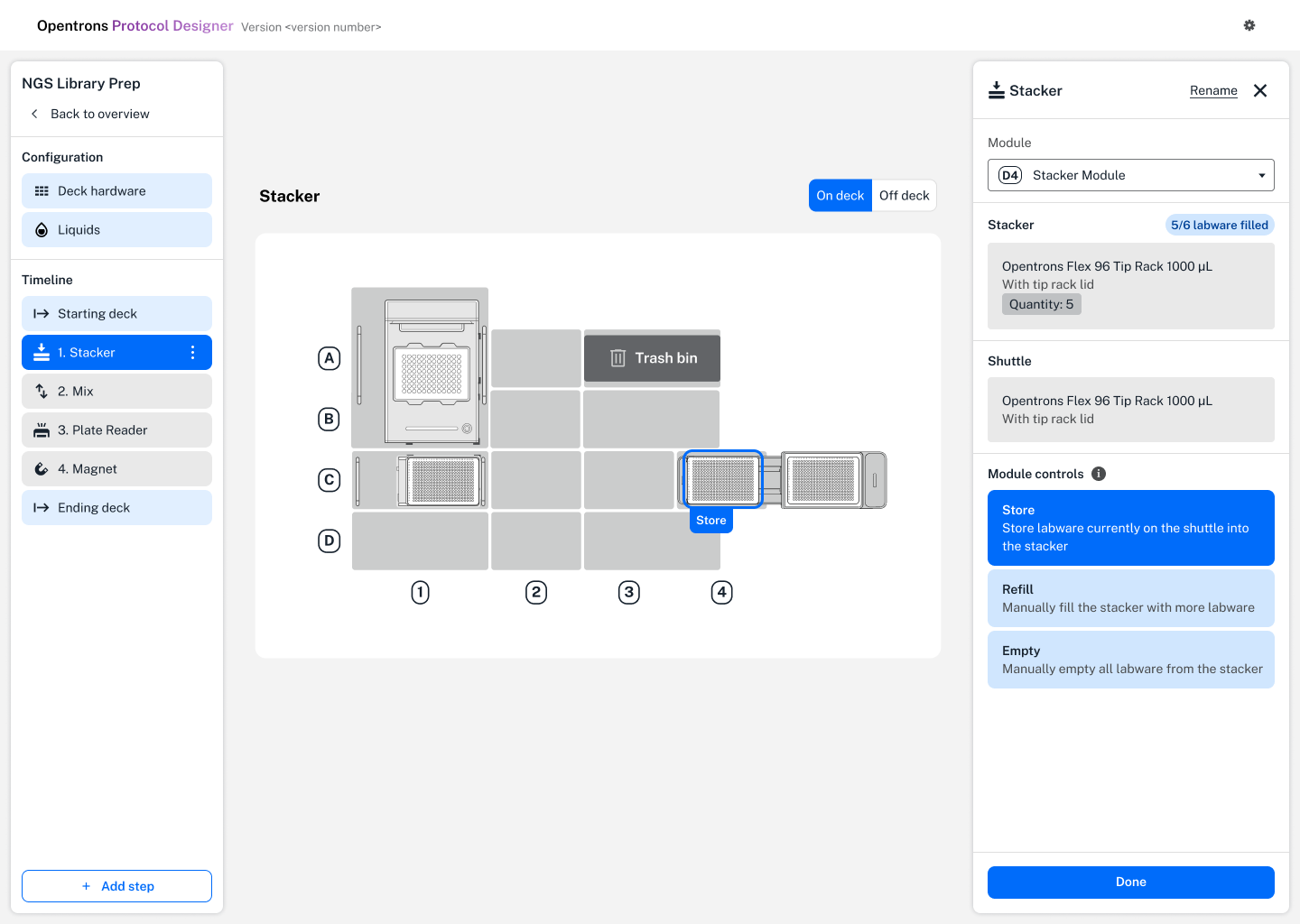
I designed support for the Flex Stacker module within Protocol Designer. This allowed users to create protocols that use the Flex stacker without needing to know how to code.
Giving users a way to add labware to the robot, and also control the stacker
Enhancing protocol setup on the robot touchscreen and app
Prior to beginning their lab automation tasks, scientists need to ensure that their robot, hardware, and labware has been set up correctly.
I redesigned our existing protocol setup experience to support setup of the stacker and stacking of labware on top of each other.
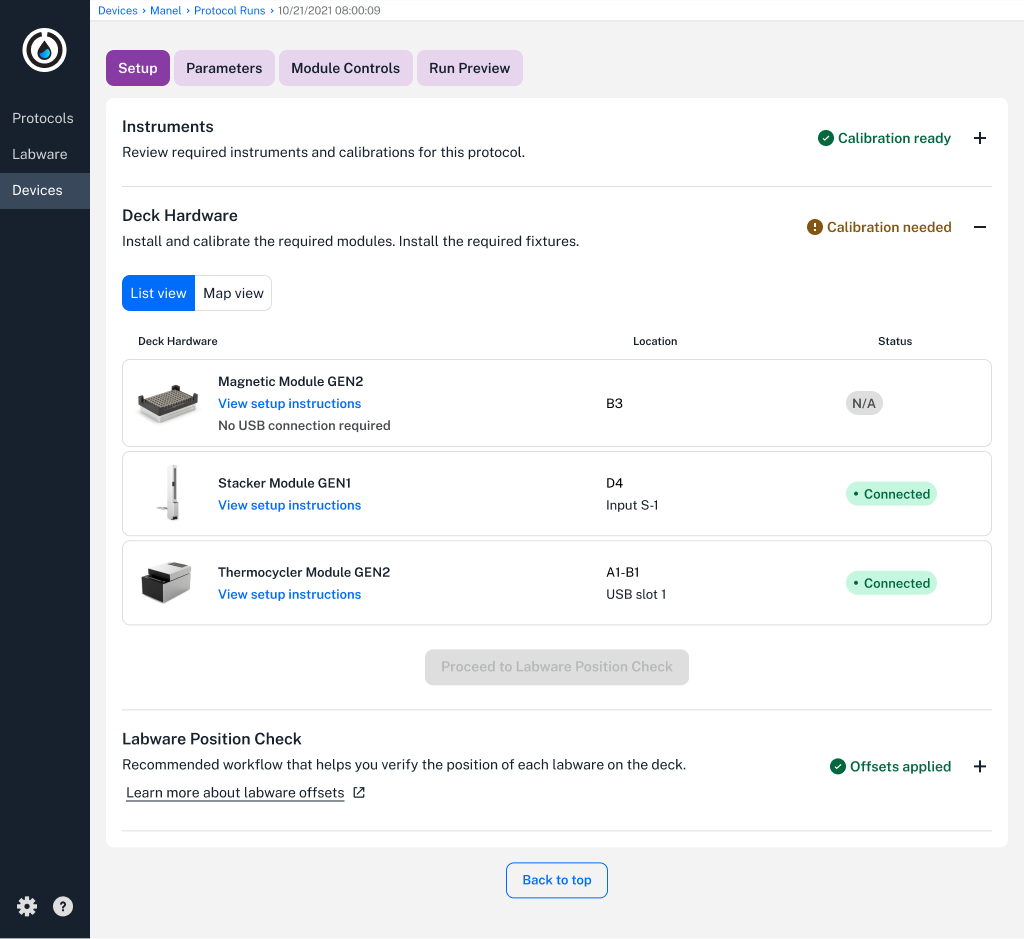
Desktop and touchscreen designs for setting up your protocol
Design
Wireframing
Once I identified opportunities for change, I put together wireframes to explored different approaches towards solving usability issues and feature enhancements needs.
While wireframing, I consistently met with my developers to assess the feasibility of design concepts and evaluate which concepts to move forward with. In some cases, I wireframed with our existing design system to move faster, utilizing patterns that already existed.
.png)
Coming up with multiple ways to tackle a problem
Userflows diagrams and early design concepts
I created userflow diagrams to understand the current state of Opentrons software ecosystem. This helped me to identify usability issues that could be improved and what parts of the software needed to change to support the stacker.
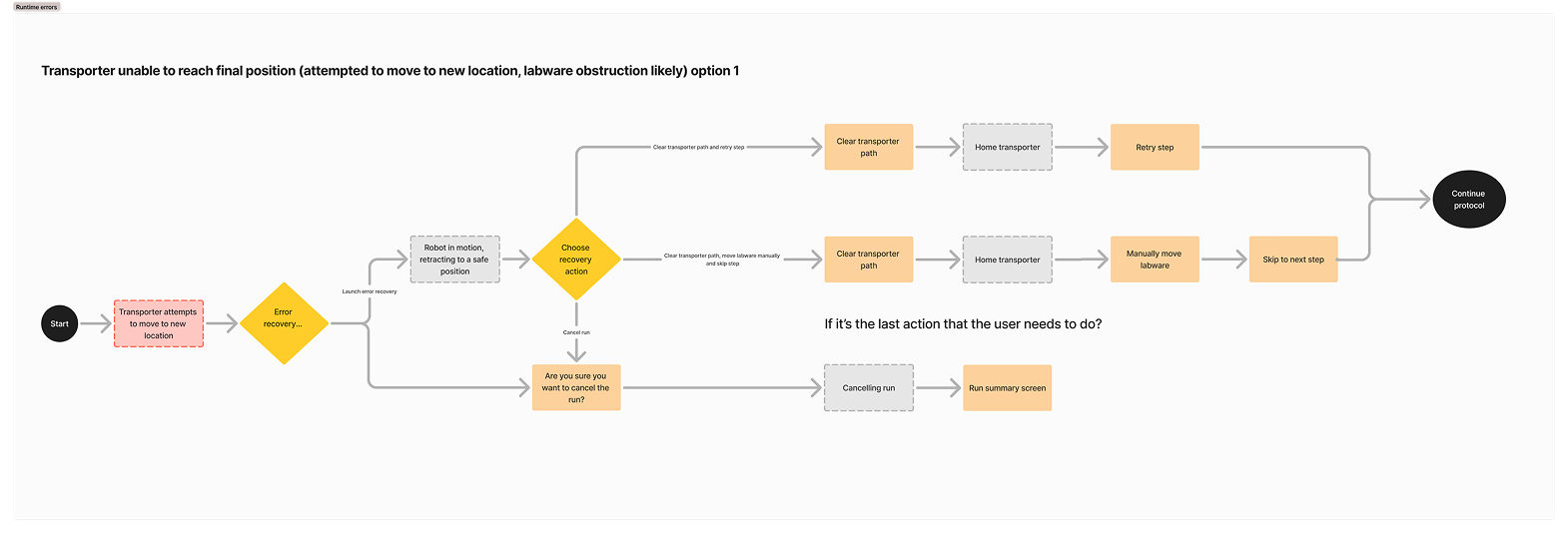
An example userflow for labware obstruction scenarios
Protocol setup changes
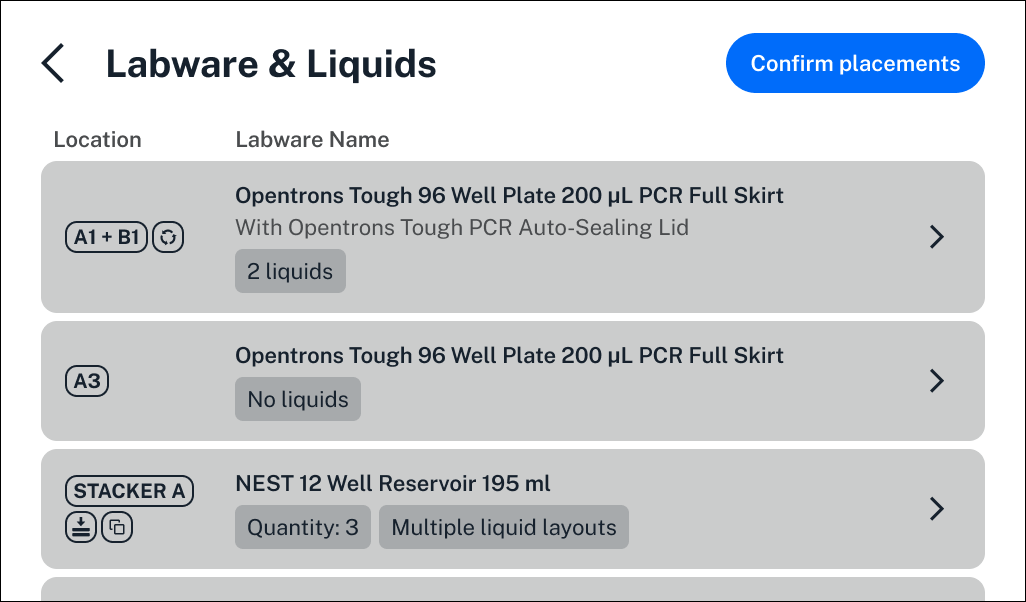
Combining labware & liquids
My initial userflow diagram identified that separating labware & liquids in the protocol setup process was not in line with what scientists do to set up the robot. Typically, scientists add liquid to a labware and add the labware into the robot together.
I put together a two design explorations to choose from, one which kept our existing software structure intact and one which combined labware & liquids into one view.
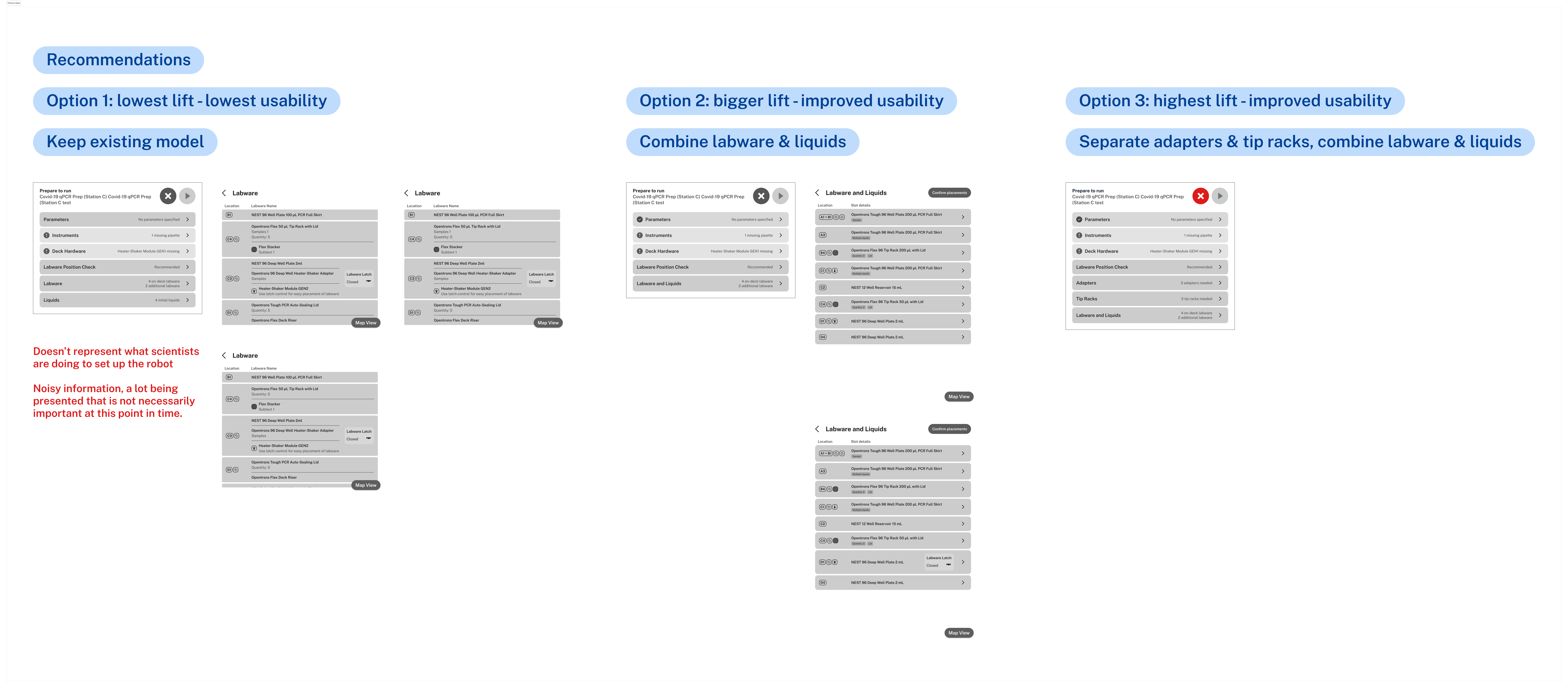
Ultimately, we chose to combine labware & liquids into one page
Support for stacking labware with liquids
Opentrons software had visual representations that stacked adapters and labware on top of each other, but not labware on top of each other. After combining labware & liquids together, we needed to figure out a way to showcase liquids inside of a stack of labware.
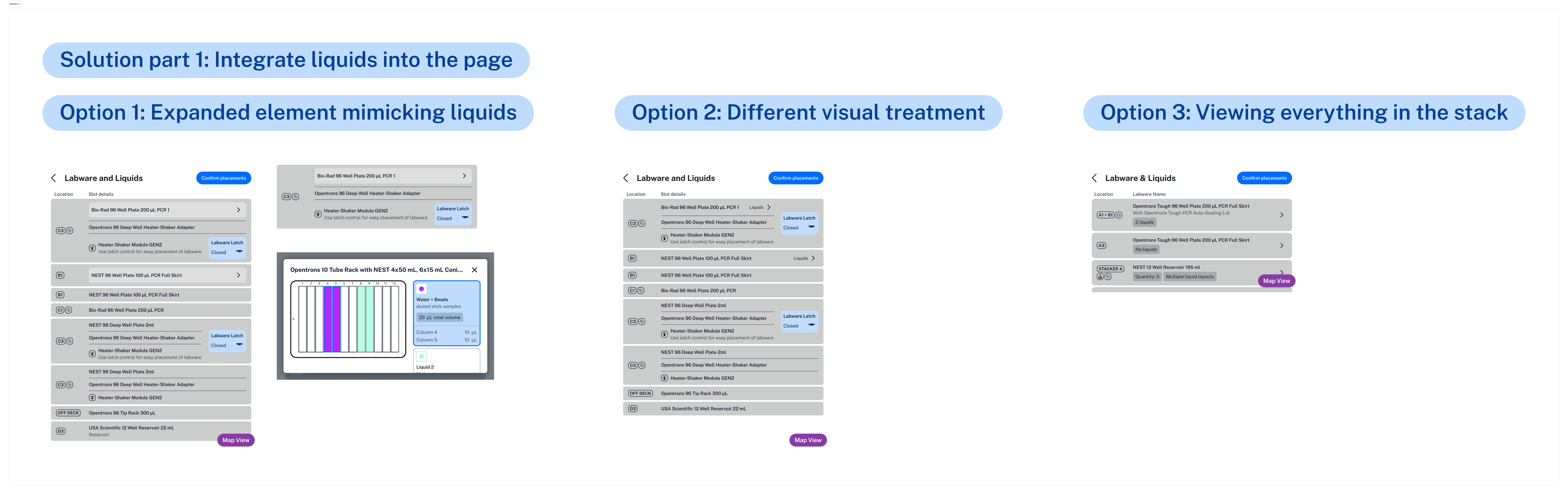
Option 3 was the best of these explorations
Final designs
This was the end result of the design explorations that I created. I combined labware & liquids, and gave scientists the ability to view labware inside of a stack in detail.
Stacking in Protocol Designer
Current state of setting up your robot deck in Protocol Designer
The way that users added and edited labware on their robot deck in Protocol Designer had usability issues.
When adding labware to the deck
- Users could not add labware and liquids together. They needed to first add the labware, and then navigate out to add the liquid.
When editing labware on the deck
- There was no way to tell which labware you had selected.
- There was also no way to tell if the labware selected had liquid in it.
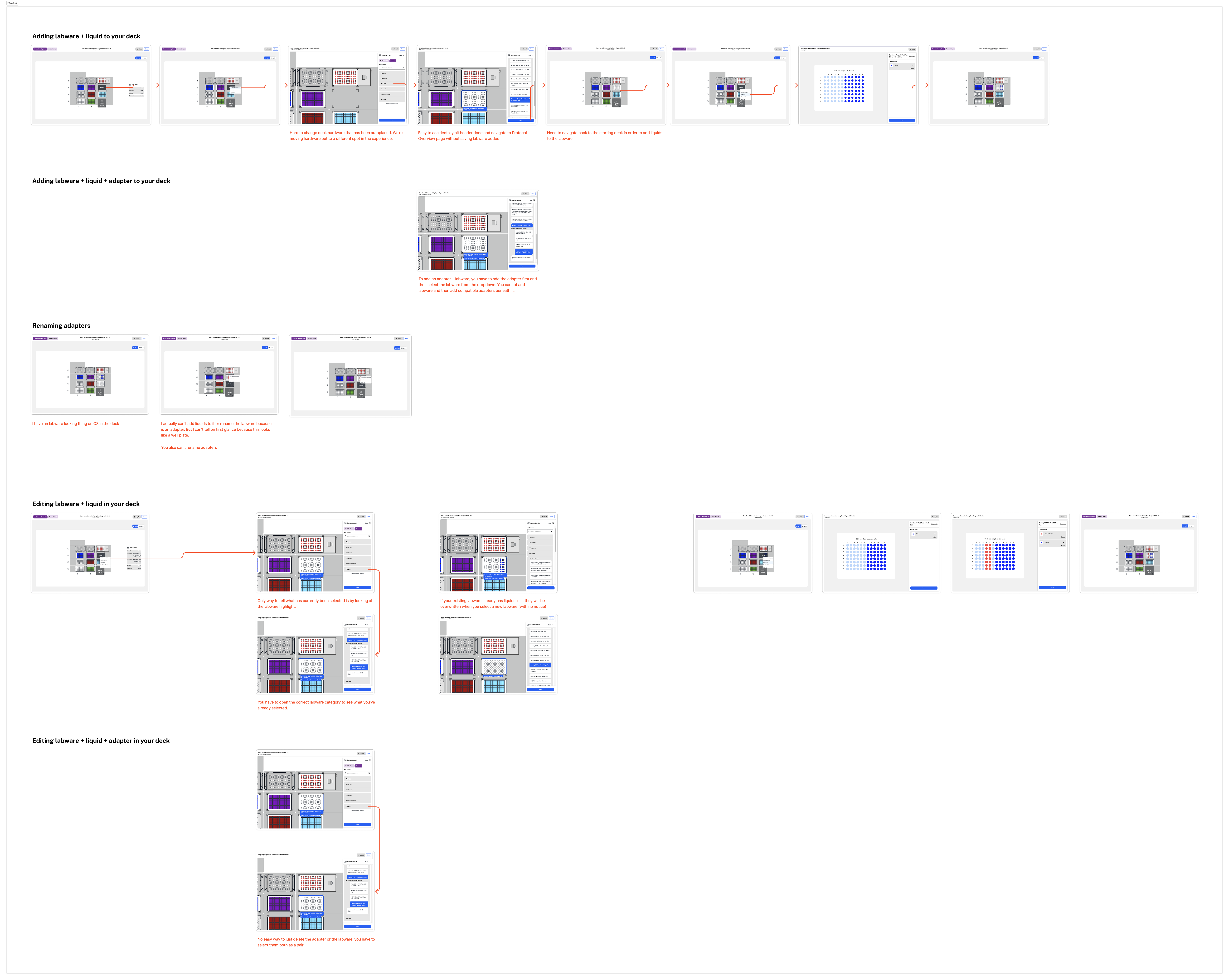
An analysis of pain points in the current experience
Design explorations
I made design explorations to explore different ways we could solve existing usability issues and also add the ability for users to create stacks of labware.
Labware stacking needed to account for 5 different scenarios
- Labware with liquids
- Labware with liquids on an adapter
- Thermocycler lids on a deck riser
- Tip racks with lids
- A stack of labware and liquids
Final designs
We landed on a paradigm that allowed users to add labware and liquids together. This paradigm also supported the different types of labware that users could stack on the deck.
Impact
Stacker support released in September 2025
Software support for the stacker was released at the same time as the hardware was shipped commercially. In the two months after the product has been released, Opentrons has generated $1M in revenue from hardware sales.
Project reflections
This project was especially complicated as I was designing software support for the stacker across all of Opentrons’ software experience.
I learned that calling out dependencies between this project and others is important at the onset of projects. We touched all of the products in the Opentrons ecosystem and needed to showcase how existing paradigms weren't equipped to support the module.
I also learned that creating userflow diagrams and assessing a project’s footprint across digital products is important to make sure that experiences are aligned and cohesive.
Felix Liu
I’d love to hear what you are working on and learn how we can collaborate!
Get in touch with me at
© Felix Liu 2025, last updated August 2025
.png)
.png)
.png)
.png)
.gif)